


If you’ve been using the free version of Canva for a while now then I’m guessing you’re in love and know it’s one of the best (ok THE best) place to design your social media graphics and beyond. It’s user friendly and the tools just keep getting better and better, but having used both the free and the pro version for everything real estate related, I can definitively say that Canva pro is well worth the upgrade if you’re a realtor. Below I outline my top five Canva pro tools and how they are so valuable for real estate design.
ONE | BACKGROUND REMOVER
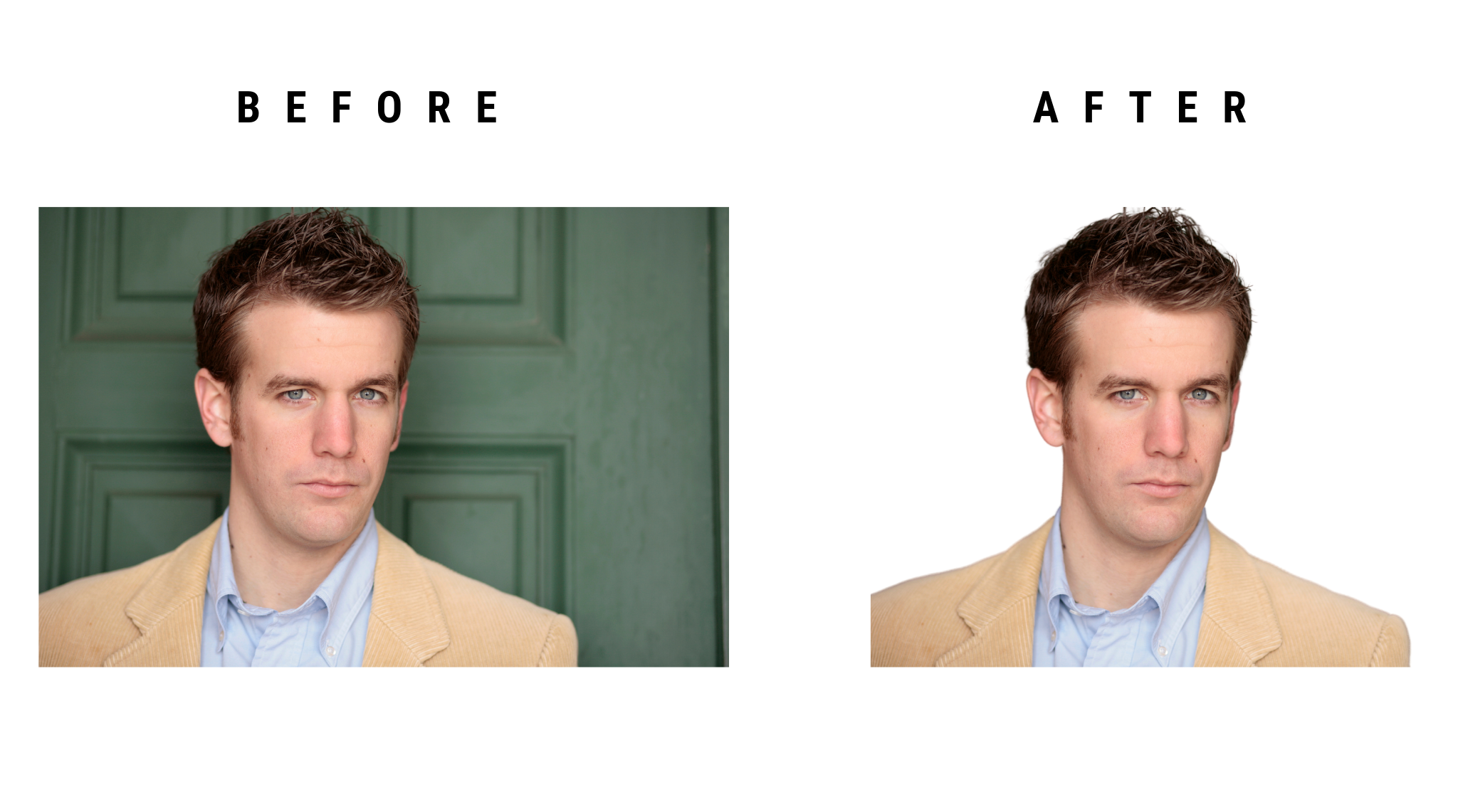
Got a headshot (or snapshot) that you wish didn’t have that white, coloured or brick wall background? Then the Background Remover is going to soon become your best friend! Simply click the button and within seconds you have a perfectly cutout headshot ready to insert into any of your Canva designs.
TWO | ASSETS GALORE
If you are diggin’ the amount of free templates, elements and photos I promise you will be blown away by the massive upgrade the pro version will give you. I used to have to hunt for hours for the perfect real estate related stock photography and now everything I need is right in Canva. The elements are also great for adding icons to listing brochures and social media posts and the variety in the pro version just cant be beat. Now let’s talk templates. I mean, the pro version has hundreds of thousands just waiting for you to get your hands on and more templates means less having to figure out the complicated world of design…am I right?
THREE | SOCIAL MEDIA SCHEDULING
Is your Insta posting falling through the cracks of your busy realtor schedule? Don’t fret, Canva now makes it super easy to schedule your posts directly from the platform. This is a total game changer for relators. Just design your posts once a week, write a caption and schedule it all from within Canva. Check, check, check, social media posting complete!
FOUR | ONE-CLICK RESIZE
This feature is one I use ALL …THE ….TIME! I love how easy it is to create something as a post and then just click the resize button and voila! I have a postcard or flyer ready to go! Now, most of the time you will need to adjust some things around to fit the new layout but this is such a time saver. No more trying to recreate from scratch or copying elements over to a new design, with a simple click of a button you are good to go!
FIVE | THE BRAND KIT
Have you ever been in design mode and thought “dang what’s my brand colour again?” and had to go retrieve your hex codes from your designer, or google drive doc? Been there! Done that! Total time suck! Canva allows you to create your brand kit directly on the platform so your colour palette, logo and custom fonts can all sit neatly in all of your designs. No more having to go find your brand assets, Canva pro makes it super easy to keep everything in one place.
There you have it friend, my favourite Canva Pro tools for real estate. Now, if Canva pro isn’t in your budget right now, don’t get total FOMO over this… The free version is spectacular and will get you where you need to go. But if you’ve been on the fence or have the room in your budget for an upgrade, I highly support you doing so. I’ve never heard anyone say they regret upgrading because Canva Pro is seriously great!
Have you upgraded yet? Let me know if the comments below what you think of Canva …Free or Pro!